Key Ad QA processes and checklists
Ad Ops | QA

Landon Bennett
Updated
Most ad errors are small: a click-through that lands on the wrong page, a tracker that never fires, a banner too heavy for the publisher’s specs. Caught after launch, each one wastes spend, and over a year of campaigns skipping QA ends up costing businesses thousands of dollars in wasted ad spend.
So, what can you do about it? First, invest in your ad QA process and tooling. Second, build a QA checklist with a clear limit for every check, so you never launch a broken ad campaign again.
For a technical, format-by-format list, see pre-launch ad QA for HTML5, video and ad tags.
What Is an Ad QA Process?
Quality assurance is a way to ensure your digital marketing is working as it should be and tracking to the correct metrics. You have to ensure that the concepts behind your work align and support your strategic needs and that the different parts of the campaign are at par with the brand and that there are no technical issues.
Most of this work is time-consuming and highly tedious unless you use automation tools like Ad Reform. You have to verify that the digital ad campaign’s design, content elements, and functionality are properly setup. You can do some of this with free tools like previewads.com.
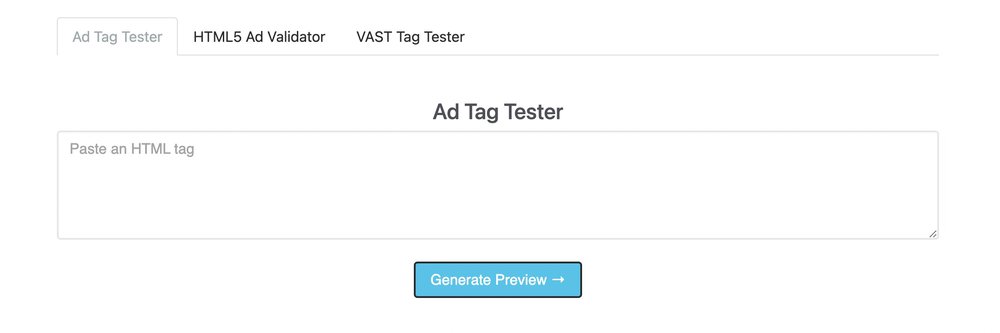
When you have a solid QA process, your ads go live without the errors that waste spend, and you stop paying to fix trivial mistakes after launch.
Creating an Ad QA Process
Good ad QA follows a well-defined process. Otherwise, your ad QA process may fail to discover the errors, brand misalignments, attribution issues and poor customer experience your ad campaign might create.
A quality workbook (QWB) is a commonly preferred method for creating a QA process. A quality workbook consists of documentation and checklists for your QA. It creates standardization of the entire process and ensures you don’t drop the ball.
You can create multiple QWBs, but it’s always advised to have a master QWB from which other QWBs are drafted.
For instance, your master quality workbook can cover the checks below. Where an industry limit exists, it’s listed next to the check. The IAB figures shown are for a 300x250; larger ads get larger budgets.
Content: copy proofread and approved
Landing page: loads and matches the ad
Trackers: impression and click trackers present and firing
Click tag: present and using the ad server’s click macro
Initial load: 150 KB maximum for a 300x250 (IAB)
Host-initiated subload: 300 KB maximum for a 300x250 (IAB)
Initial network requests: 10 maximum (IAB)
CPU usage: 30% maximum (IAB)
Load speed: time to first visual and full load time
Ad dimensions: match the size that was booked
Animation length: 15 seconds maximum (IAB), 30 seconds on Google Display & Video 360
Memory usage: watch for ads that keep growing while they run
SSL compliance: every request over HTTPS
Iframe count: fewer is better, since nested iframes add load time
Video autoplay and sound: muted on start unless the ad fills the whole screen
JavaScript errors: none
Mobile friendly: renders and clicks correctly on phones
Border: ad clearly separated from page content
Backup image: included with HTML5 ads
Chrome heavy ad limits: under 4 MB of network data and Chrome’s CPU limits, or Chrome removes the ad
Cookies and trackers: only from vendors you’ve approved
Specs often disagree. The IAB caps animation at 15 seconds while Google Display & Video 360 allows 30, and many publishers set their own file size limits. That’s why the master workbook matters: copy it for each campaign and set the limits to the spec you’re delivering against.
With a QWB, anyone within the company can run an ad QA process for one of your campaigns without missing a step.
The Most Important Items in Your Ad QA Checklist
There are critical elements to most ad campaigns that should never be left out of your ad QA checklist. These are:
Content
Content should always pass through ad QA before handing it over to be trafficked. Someone should proofread the content from the content team and clear it for use in your landing page or ad copy.
The goal is to find misspelled words, missing periods, ensure the text version is correct, and weed out any terms that might misrepresent the brand.
Links
Links are how every ad pays off. A broken click-through means paying for clicks that land on an error page, and a missing query parameter means you can’t attribute the results. That’s why checking every link is a crucial part of the ad QA process.
Make sure every link works and directs to the relevant landing page (See how Ad Reform automates this).
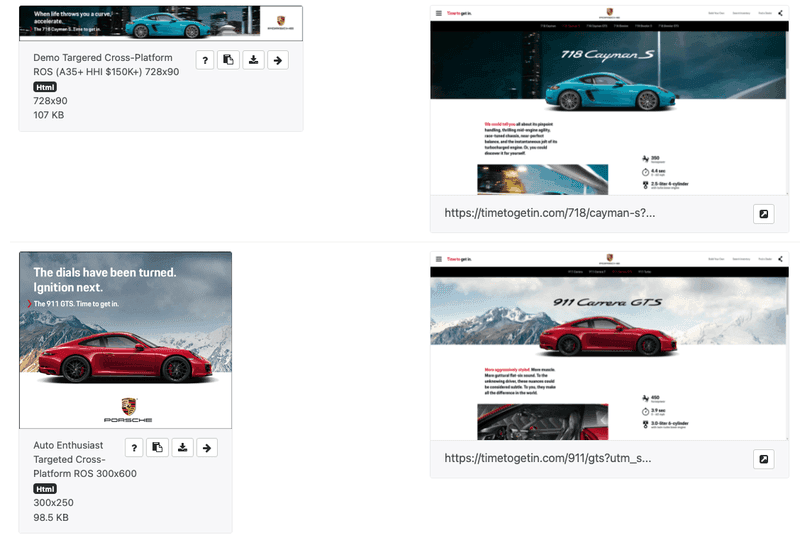
Ad Reform landing page testing
Images and Design
Images do most of the work in a display ad, and they’re usually its heaviest files.
Your images QA checklist should confirm that images are compressed enough to stay within the file size limits but still look sharp on high-resolution screens, that the copy is readable at the ad’s actual size, and that no text overlaps other text or images. The design should also convey the intended meaning of your campaign at a glance.
Overall Functionality
Your ad campaign should fulfill its intended purpose. That means you have to look for the critical components that define its functionality and ensure that they’ve been well-curated.
For example:
Does the ad have the correct trackers
Does it have the correct impression tracker
Does it have the correct landing page
Does it have the correct attribution via query parameters
Does the click tag use the ad server’s click macro, so clicks are counted
Is the ad too large, or does it take too long to load
Does the ad pass the IAB performance specs listed in the workbook above
A day after the ad goes live, you can use further QA to ensure the ad is displayed as intended on the selected platforms. You can use ad screenshots to verify such information.
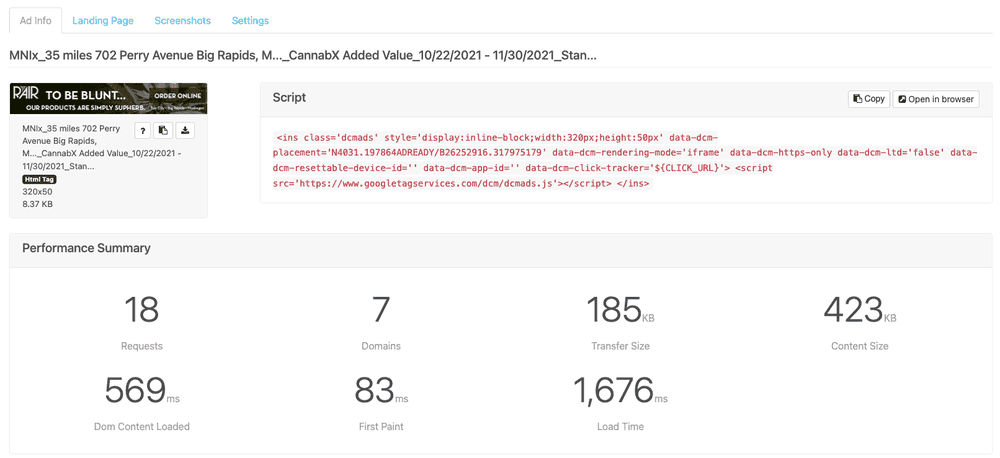
Ad Reform captures this ad info on every ad uploaded in the platform
Drawbacks of Too Many Processes in QA
Proper QA pays off for your business and ad campaigns. But a massive checklist won’t make for better returns. It slows every launch down, and campaigns end up going live late.
Ideally, you’d only want two reviewers to go through the checklist. Two sets of eyes are enough to catch the most common mistakes that one person might let slide.
Having multiple reviewers only increases the time for communication, reviews, and approval which slows down the businesses’ marketing process.
Also, instead of starting with a huge checklist, tick the most important boxes first, then review how well your QA process has performed. If some mistakes go unnoticed, try to define the processes better or add a few more items to the checklist to ensure the errors don’t happen again.
That way, you end up with a manageable checklist your whole team can trust to cover what matters.
Consider Ad QA Automation
Automation can significantly help speed up your QA process for your ad campaigns. For instance, using Ad Reform’s Ad QA technology, you can quickly assess whether the running ad campaigns fulfill the team's set standards of content, size, load time and function.
This way, you can catch errors that slipped past your pre-campaign checklist before they significantly hurt your campaign and cost the business thousands of dollars and give end users a degraded user experience.
Comparing tools for HTML5 ad checks? See the best HTML5 ad preview tools, compared.
Frequently asked questions about ad QA
What should an ad QA checklist include?
At minimum: proofread copy, click-through links that go to the right landing page, images that load fast and look right, the correct trackers and impression tracker, attribution through query parameters, and file size and load time within the IAB performance specs.
How many people should review an ad before launch?
Two reviewers is usually enough. A second set of eyes catches most mistakes, and every extra reviewer adds communication and approval time.
What is a quality workbook (QWB)?
A quality workbook holds the documentation and checklists for your QA process. Teams usually keep one master QWB and draft campaign-specific workbooks from it, so anyone can run QA without missing a step.
What is the maximum file size for a 300x250 banner?
Under the IAB guidelines, a 300x250 should load no more than 150 KB before the host page finishes loading and no more than 300 KB after it, with no more than 10 file requests up front. Publishers often set stricter limits, so always check their spec sheet.
What’s the difference between initial load and subload?
Initial load is everything an ad downloads before the host page finishes loading. Host-initiated subload is what it downloads after that, without anyone interacting with it. Splitting the two keeps ads from slowing down the page people came to see. Files that load after someone clicks or taps the ad don’t count toward either limit.
Can ad QA be automated?
Partly. Ad Reform’s Ad QA, now in alpha, runs ad UX metrics, checks ads in bulk for the tracking pixels you expect, and QAs landing pages with click-through screenshots, final URLs and query parameters. You can also preview HTML5 ads and ad tags before launch, and after launch, ad screenshots show each ad running where it should. Custom QA rules aren’t available yet; until then, our team can run QA against your own checklist as a service.